User manual
Utopia Theme User Manual
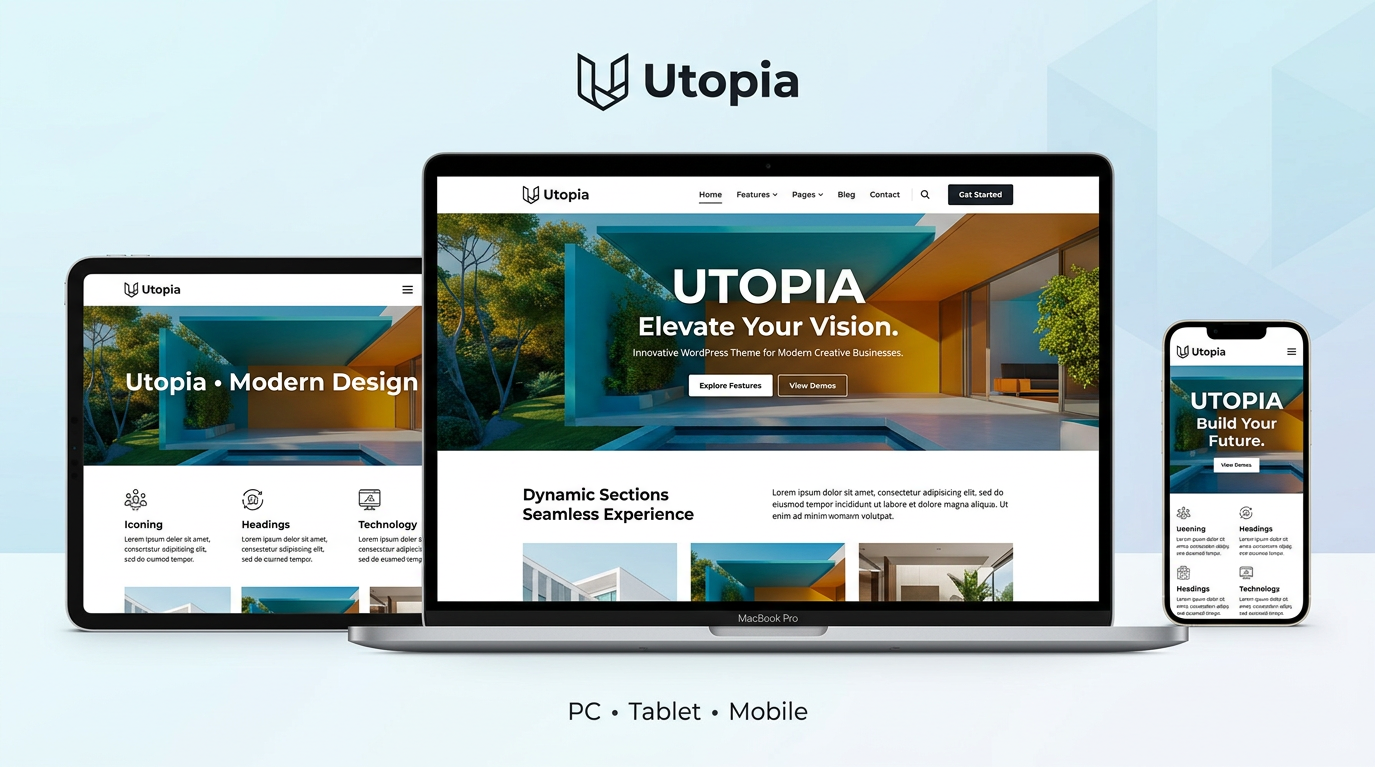
Utopia is a versatile WordPress theme for corporate sites, media, landing pages, blogs, portals, and more. Customize everything from the admin panel—no coding required. Build professional-quality sites with an intuitive, visual interface.
Table of Contents
- Getting Started
- Admin Panel Overview
- Setup Wizard
- Design Settings
- Layout Settings
- Header Settings
- Footer Settings
- Front Page Settings
- Content Settings
- SEO Settings
- Ads & Analytics
- Contact Form
- Performance Settings
- Affiliate Settings
- Membership
- Maintenance Mode
- Floating Widget
- Custom Blocks
- Export & Backup
1. Getting Started
Accessing Utopia
Look for “Utopia” in the left menu of your WordPress admin. Click it to open the dashboard and access all settings pages.
Requirements
- WordPress 6.0 or higher
- PHP 7.4 or higher
2. Admin Panel Overview
| Menu | Description |
|---|---|
| 📊 Dashboard | Overview and quick links |
| 🚀 Setup Wizard | Guided initial setup |
| 🎨 Design Settings | Colors, fonts, headings, buttons |
| 📐 Layout Settings | Content width, sidebar, spacing |
| 🔝 Header Settings | CTA, menu, header media |
| 🔻 Footer Settings | Copyright, CTA, SNS links |
| 🏠 Front Page Settings | Homepage structure |
| 📝 Content Settings | Breadcrumbs, TOC, related posts, author |
| 🔍 SEO Settings | OGP, Twitter Card, site verification |
| 💴 Ads Settings | Ad code placement |
| 📈 Analytics Settings | Tracking codes |
| ✉️ Contact Form | Inquiry forms |
| ⚡ Performance | Load optimization |
| 💰 Affiliate | PR labels, disclosure |
| 👥 Membership | Content access restriction |
| 🔧 Maintenance | Maintenance page |
| 📌 Floating Widget | Sticky buttons and banners |
| 🔑 License | License key activation |
| 📦 Export / Backup | Theme ZIP download |
3. Setup Wizard
Runs automatically when you activate the theme. Walk through site type, brand color, layout, and CTA setup step by step.
- Site Type: Corporate, Media, LP, Blog, Portal, etc.
- Brand Color: Choose from presets or enter custom hex
- Layout: Sidebar, content width
- CTA: Enable or skip header button
4. Design Settings
Color Palette Presets
Apply industry-tailored color palettes with one click.
- Trust & Integrity (Blue) — Finance, healthcare, corporate
- Energy & Fun (Orange) — Food, entertainment, sports
- Nature & Calm (Green) — Eco, wellness, agriculture
- Luxury & Elegance (Purple & Gold) — Fashion, bridal
- Passion & Action (Red) — Sales, LP, sports
- Clean & Minimal (Light Blue) — Healthcare, SaaS, tech
- Warmth & Friendly (Warm Orange) — Cafe, parenting, community
- Innovation & Tech (Cyan & Navy) — Startups, AI, fintech
Basic Colors
- Primary: Buttons, links, accents
- Secondary: Secondary accents
- Text: Body text
Site Types (9 Options)
| Type | Description |
|---|---|
| Corporate | Standard corporate layout |
| Media | News and magazine |
| LP | Landing page |
| Blog | Personal or topic blog |
| Portal | Search bar + category tags |
| Corporate Pro | Announcement bar + sticky nav |
| Side Header | Left sidebar navigation |
| Hero Header | Transparent header over hero image |
| LP Pro | Full-screen landing page |
Fonts, Headings, Buttons, Cards & Spacing
Body and heading fonts from 15 Google Fonts. Heading styles (left border/bottom border/background block), button styles (Solid/Outline/Rounded), card styles (Flat/Bordered/Shadow/Minimal), spacing presets (Compact/Normal/Spacious).
Header & Navigation Colors, Dark Mode
Set header background, text color, and nav link colors independently. Dark mode toggle for light/dark. Respects OS preference (prefers-color-scheme).
5. Layout Settings
- Content Width: Max width options
- Sidebar: Show on blog/archive pages
- Spacing Preset: Section spacing
- Widget Area Colors: Above/below content, front page
- Sidebar Colors: Sidebar background and text
6. Header Settings
Header CTA
Button text and URL, background and text color, alignment (left, center, right)
Header Media
Type: Single image / Image slider / Video. Single image set in Appearance → Header. Slider: multiple images, interval, arrows, dots. Video: YouTube / Vimeo / Uploaded video.
Overlay
Color overlay (color and opacity), overlay content (heading, subtext, button), slide animation (Fade/Slide)
Menu & Other
Layout (above header/horizontal/below header), position, per-item text color. Search button, announcement bar, sticky header, back to top button.
7. Footer Settings
- Copyright Text: Auto site name + year if empty
- Footer CTA: Section above copyright
- Footer Menu: Position and color
- SNS Links: X, Instagram, Facebook, YouTube, LINE, etc.
8. Front Page Settings
Content Source
Use Page Content: Display content from the front page editor. Other sections can still be shown.
Section Order
Drag to reorder. Hero / Page Content / Custom Content / Features / Pricing / Latest Posts / CTA Banner
Hero, Custom Content, Pricing
Hero: heading, subtext, buttons, background image, gradient overlay. Custom content: insert any HTML. Pricing: paste Airwallex Payment Link URLs. Use shortcode on other pages.
Features Section
Up to 10 items. Icon (emoji): use OS emoji picker (Win+. / Mac: Ctrl+Cmd+Space) or copy from Emojipedia. Title and description support line breaks.
Latest Posts & CTA Banner
Post count, section title. CTA heading, subtext, button.
9. Content Settings
Eyecatch Image
Show on posts/pages. Display style (above title/hero overlay), image height (small, medium, large)
Breadcrumbs
Enable for posts, pages, archives. Position (top/bottom). Schema.org BreadcrumbList support.
TOC, Related Posts, Author Box
TOC auto-generated from H2/H3. Minimum heading count, collapsible toggle. Related posts by category → tag. Author box: avatar, bio, link below posts.
10. SEO Settings
OGP image (1200×630px recommended), Facebook App ID, Twitter/X card, Google Search Console & Bing site verification, per-post/page meta description.
11. Ads & Analytics
Ads Settings: Before content, after content, sidebar ad slots. Analytics Settings: Head, body, footer code slots for tracking codes.
12. Contact Form
Create multiple forms. Display via shortcode. Google reCAPTCHA v3 support. Custom fields and recipients per form.
13. Performance Settings
Head Cleanup: Remove WordPress version, RSD, shortlink, REST API, prev/next, feed links, X-Powered-By. Scripts & Styles: Disable emoji, jQuery Migrate, remove version query strings, remove block CSS on archives. Loading: Google Fonts preconnect, HTML compression, Heartbeat API interval or disable.
14. Affiliate Settings
PR label, disclosure banner (advertising compliance), auto nofollow/sponsored on external links, blog card ( shortcode)
15. Membership
Restrict posts and pages to logged-in users—no plugin needed. Lockout mode (redirect to login / show teaser + lock screen), teaser settings. Set “Members Only” in post sidebar.
16. Maintenance Mode
Show maintenance page to all visitors (admins/editors unaffected). Set page title, content, estimated end time.
17. Floating Widget
Sticky button or banner on all pages. Types: image, text button, custom HTML (e.g., LINE badge). Position, size, animation, close button, hide on mobile.
18. Custom Blocks
Utopia-specific blocks for the block editor.
| Block | Description |
|---|---|
| Notice / Alert | Info, success, warning, danger boxes |
| Speech Balloon | For conversations or Q&A |
| Styled Box | Content box with optional title |
| Step | Numbered steps for tutorials |
| Point Box | Merit, demerit, check, caution |
| Float Image | Image with text wrap |
| Affiliate Button | CTA with nofollow/sponsored |
| Accordion / FAQ | Collapsible content |
| Contact Form | Form embed |
Rich Text Formats
Marker (highlight), pen marker, text color, underline style, inline box, icon insert, font size
19. Export & Backup
Parent theme (utopia.zip), child theme (utopia-child.zip), both (utopia-full.zip). Install via Appearance → Themes → Add New → Upload. Settings stored in database, not included in ZIP.