🎉New feature released! Learn more
Utopia-Wordpress theme-

The ever-evolving WordPress theme

Utopia is a WordPress theme that constantly evolves, fulfilling every desire that users have.

Get Started

Features: A Flexible WordPress Theme for Business, Blogs, Landing Pages, and More

Utopia Features

Utopia is more than a theme that simply changes how your website looks.
It is designed as a practical WordPress foundation that supports how a website is built, managed, presented, and expanded over time.

When people search for a WordPress theme, they often focus first on visual demos. That makes sense. Design matters. But in real projects, the long-term value of a theme depends on much more than first impressions.

Questions such as these become much more important after launch:

  • Is the theme easy to configure?
  • Can beginners make meaningful changes without code?
  • Can professionals customize it safely for client work?
  • Does it work across different website types?
  • Can it scale as the site grows?
  • Is it suitable for multilingual websites?
  • Can it support conversion, analytics, and ongoing optimization?

Utopia is designed around those practical needs.

Below are the core features that make Utopia a strong choice for modern WordPress websites.


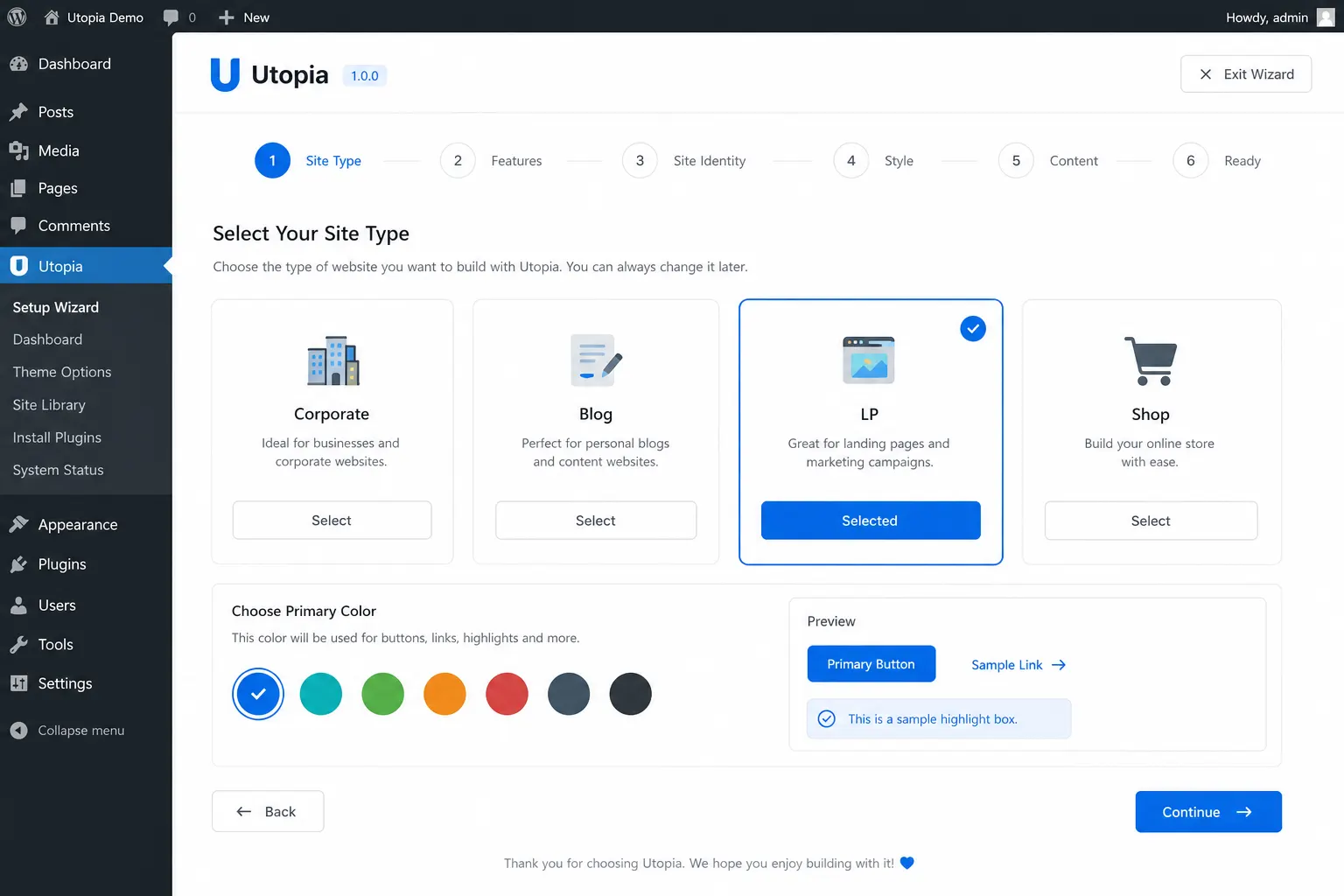
1. Flexible Site Type Direction

One of the strongest features of Utopia is that it is not limited to a single website style.

Many WordPress themes are built mainly for one use case:

  • blogging
  • corporate websites
  • landing pages
  • media sites

That often becomes a problem when your project evolves or when you want to reuse the same theme across multiple websites.

Utopia is built with a broader foundation, allowing you to shape the theme for different purposes more easily.

This means the same theme can be adapted toward:

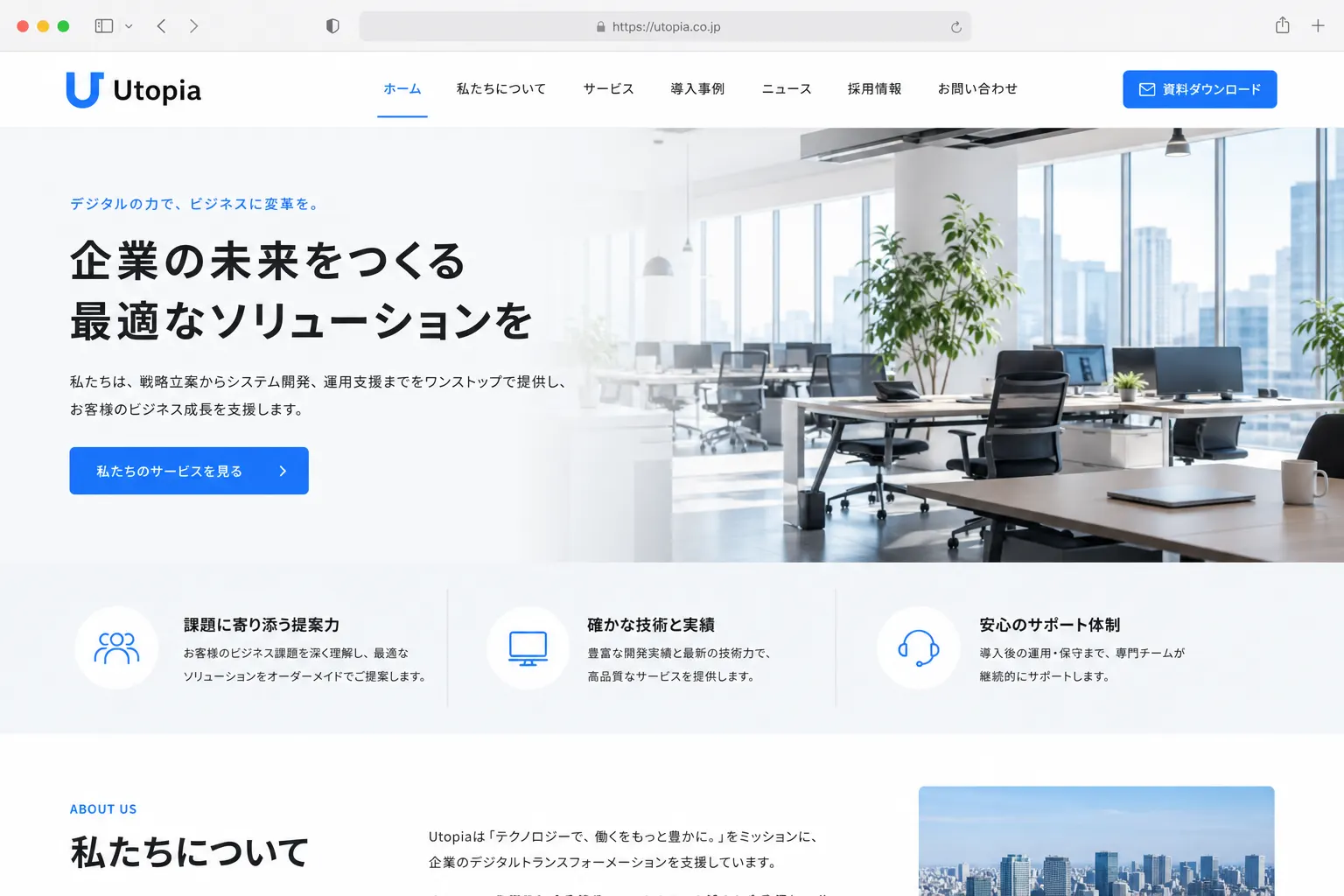
  • a professional corporate website
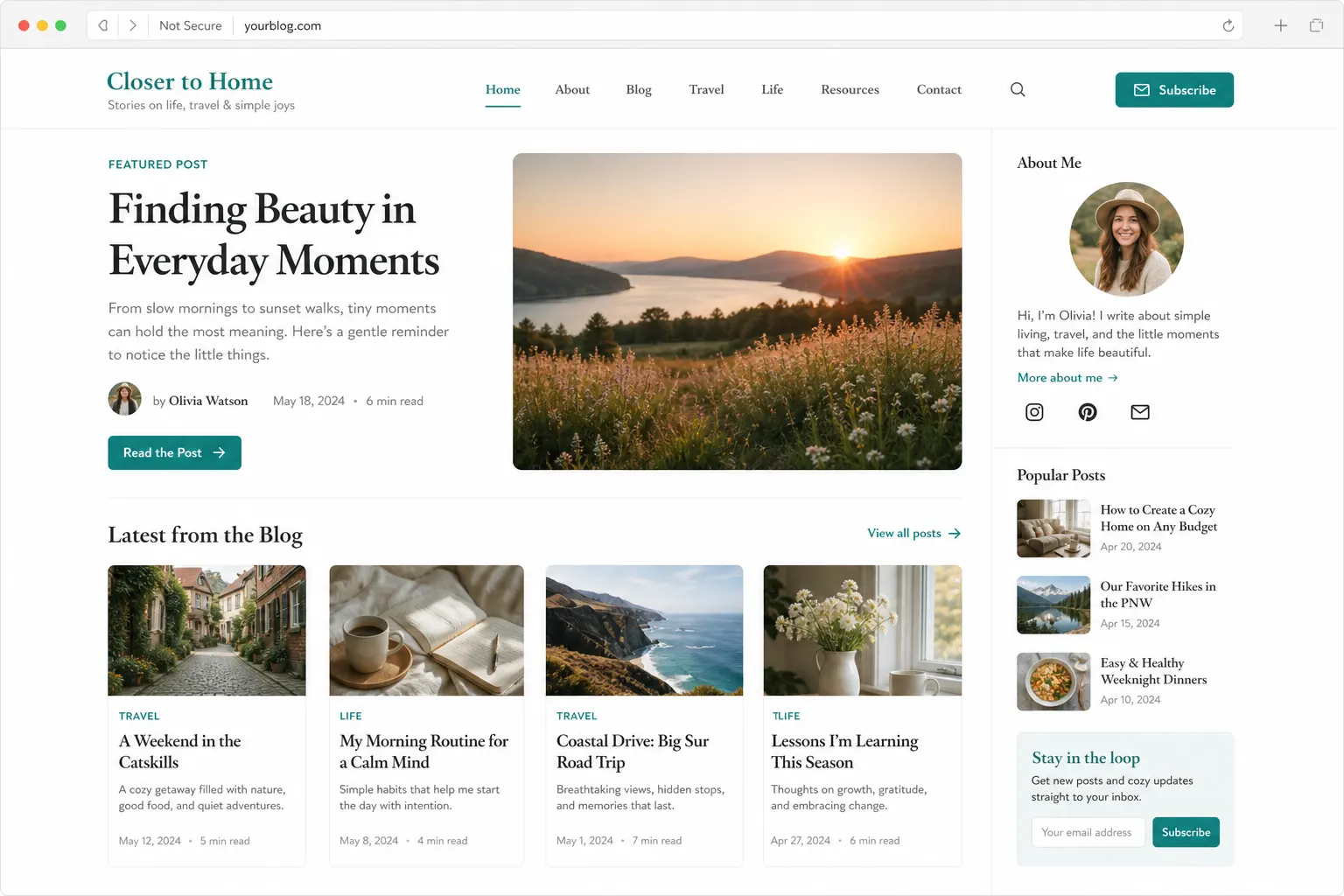
  • a readable content-driven site
  • a conversion-focused landing page
  • a blog-style website
  • an information-rich media or product site

This flexibility is especially valuable for users who want one solid WordPress theme that can support different projects instead of switching themes repeatedly.


2. Easy Visual Customization from the Admin Area

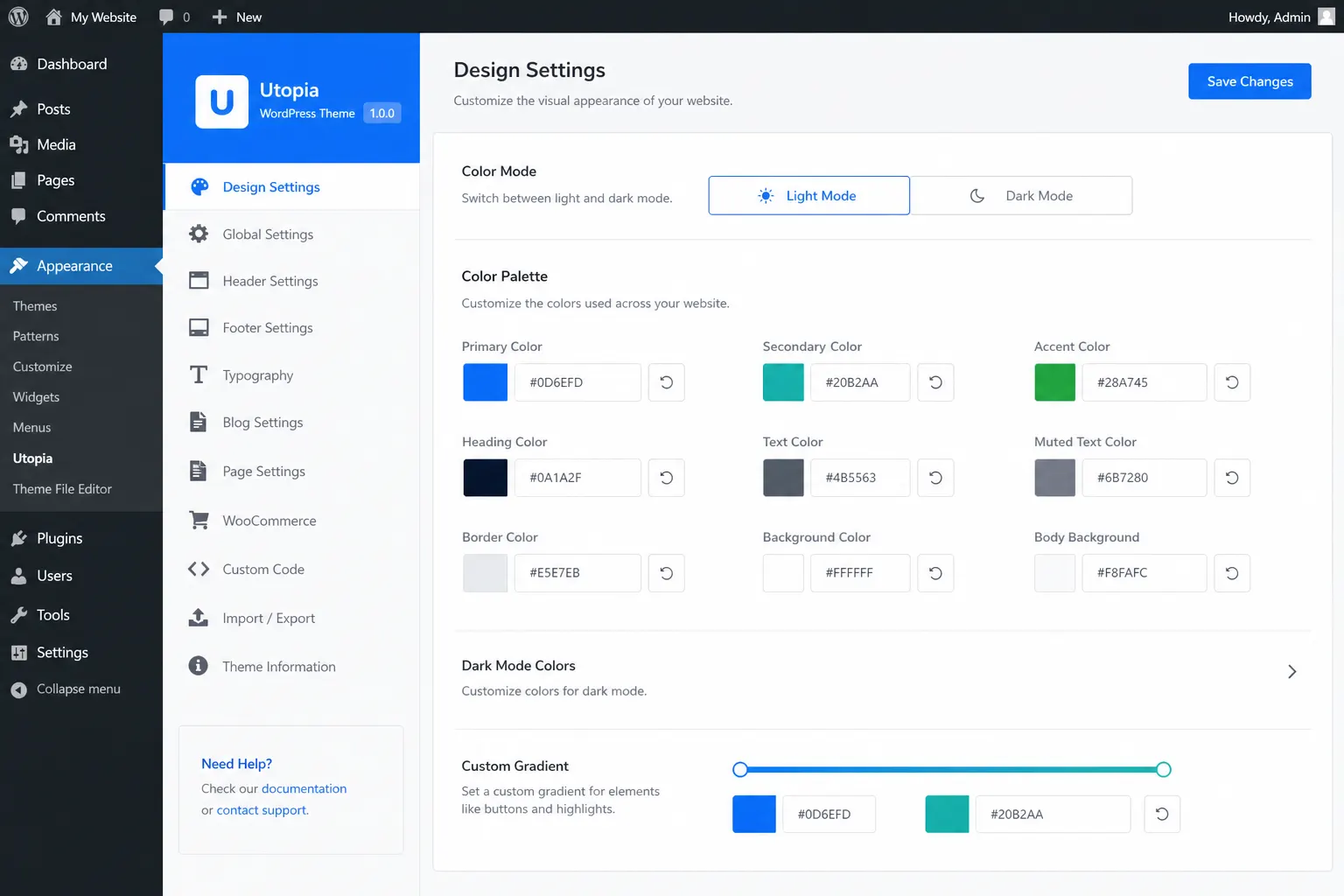
A key feature of Utopia is that the visual direction of a website can be changed more intuitively from the WordPress admin area.

In many WordPress themes, even small presentation changes require custom CSS, theme edits, or extra page builder work. That increases friction, especially for beginners and busy site owners.

Utopia is designed to reduce that friction by making several design-level choices easier to control, such as:

  • primary color
  • secondary color
  • text color
  • button radius
  • heading style
  • button style
  • body font
  • heading font
  • card style
  • spacing preset

These settings help users shape the overall feel of the website without needing to rebuild the site structure or edit code for every small adjustment.

For beginners, this makes customization easier to understand.
For professionals, it creates a faster starting point for building polished websites efficiently.


3. Card Styles and Spacing Presets That Change the Feel of a Site

A great website is not built only with colors and typography.
Its overall impression is also strongly influenced by spacing, element grouping, visual rhythm, and how content blocks feel on the page.

That is why Utopia includes support for design choices such as:

  • card style presets
  • spacing presets

With card styles, users can create different moods more easily, including:

  • flat and minimal layouts
  • modern shadow-based interfaces
  • structured bordered layouts
  • softer, more premium glass-like styles

With spacing presets, users can also move between tighter and more open visual systems, depending on the purpose of the site.

For example:

  • a compact layout can work well for content-dense pages
  • a spacious layout can create a more premium and elegant feel
  • a balanced layout can support general business or blog use

This gives Utopia an important advantage: it allows websites to feel meaningfully different without requiring a completely different theme.


4. Built-In CTA Support for Better Conversion Paths

A website should not only look good.
It should also guide visitors toward the next action.

That is why Utopia includes support for elements such as:

  • header CTA
  • footer CTA

This makes it easier to place clear calls to action for goals such as:

  • contacting your team
  • viewing a demo
  • accessing a pricing page
  • starting a free trial
  • purchasing a product
  • downloading a resource

For landing pages, product sites, service websites, and digital sales pages, this kind of built-in structure is extremely useful.

Instead of treating design and conversion as separate concerns, Utopia allows both to work together more naturally.


5. Practical Layout Controls for Different Website Needs

Websites need layout flexibility, even when they are not highly customized.

That is why Utopia includes practical layout settings such as:

  • content width
  • sidebar on/off options

This gives users better control over how information is presented depending on the kind of website they are building.

For example:

  • a blog may benefit from a sidebar
  • a landing page often works better without one
  • a business site may need a structured reading width
  • a media-style site may benefit from wider content presentation

These settings may seem simple, but they make a real difference in usability and clarity.

A WordPress theme becomes much more useful when it helps users adjust structure as well as style, and Utopia is built with that principle in mind.


6. Designed with Real Website Operations in Mind

A website does not stop evolving after launch.

That is why Utopia is designed not only for building pages, but also for supporting real website operations such as:

  • analytics setup
  • ad placement
  • external scripts
  • performance tracking
  • conversion testing
  • monetization workflows

The theme includes settings related to:

  • before-content ad areas
  • after-content ad areas
  • sidebar ad areas
  • head code
  • body code
  • footer code

This is especially useful for content publishers, affiliate marketers, product owners, and anyone who needs a WordPress theme that supports optimization after launch.

A practical theme should not force you to hack these functions into the site later.
Utopia is built with those needs in mind from the beginning.


7. Safer Long-Term Customization with Parent and Child Theme Use

Another important feature of Utopia is that it works well as a long-term theme foundation.

As websites grow, site owners and developers often need to make changes that go beyond the default settings. That is where a clean parent-and-child theme workflow becomes valuable.

Utopia is built in a way that supports safer long-term customization, making it easier to:

  • adapt the theme for different projects
  • preserve updates more safely
  • maintain reusable structures
  • customize websites without constantly rebuilding from scratch

This is especially important for freelancers, agencies, and advanced users who want one strong base theme that can be deployed across multiple websites while remaining maintainable.


8. Suitable for Japanese, English, and Multilingual Website Structures

Today, many websites need to serve more than one audience.

That may include:

  • Japanese and English website versions
  • local and global brand pages
  • multilingual product websites
  • business sites with both domestic and international content

Utopia is designed with that reality in mind.

While the theme itself is not the translation engine, it is well suited to multilingual WordPress structures because it supports clean layout planning, strong content hierarchy, and scalable site organization.

For example, it works well with site structures such as:

  • /ja/
  • /en/

It also helps keep the presentation consistent as language versions are added, which is especially valuable for product and brand websites.

For users searching for a multilingual WordPress theme or a WordPress theme suitable for Japanese and English websites, this makes Utopia a practical choice.


9. Beginner-Friendly Without Looking Cheap

Many beginner-focused themes are easy to use, but visually limited.
On the other hand, many high-end themes look impressive, but become frustrating when users try to manage them in real life.

Utopia aims for a better balance.

It is built to be:

  • easier to understand
  • easier to start with
  • visually clean and modern
  • flexible without becoming overwhelming
  • simple without looking flat or generic

This balance matters.

For individuals, creators, startups, and small businesses, the ideal theme is often not the most complex one. It is the one that helps them launch confidently and still looks professional enough to support trust.

That is one of the core strengths of Utopia.


10. Reusable Across Multiple Projects and Businesses

A theme becomes much more valuable when it can support more than one website.

Utopia is designed to work well not only for one project, but also as a reusable theme framework across multiple sites, brands, and business types.

That can include:

  • a product sales website
  • a company website
  • a content blog
  • a landing page
  • a multilingual brand website
  • a client website
  • a documentation or support site

This makes Utopia especially useful for people who want to standardize their workflow.

Instead of researching and learning a completely different theme for every new project, users can build on one familiar and flexible foundation.

That improves efficiency, consistency, and long-term maintenance.


In One Sentence: What Makes Utopia Stand Out?

If we summarize the features of Utopia in one sentence, it would be this:

Utopia is a flexible WordPress theme built to make websites easier to launch, easier to manage, and easier to grow.

Its value is not limited to visual style.
It is built around usability, practical design control, conversion support, multi-site potential, multilingual structure, and long-term flexibility.

That makes it a strong option for people searching for a WordPress theme that can do more than just look good.

If you want a WordPress theme that is beginner-friendly, business-ready, visually adaptable, and scalable enough for future growth, Utopia is designed for exactly that purpose.